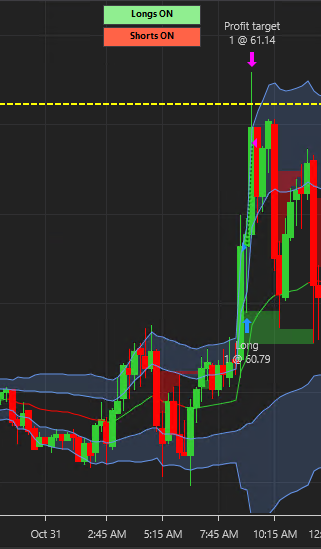
Let's walk through how to get Direction Momentum installed.
Step 1:
Locate your NinjaTrader machine Id:
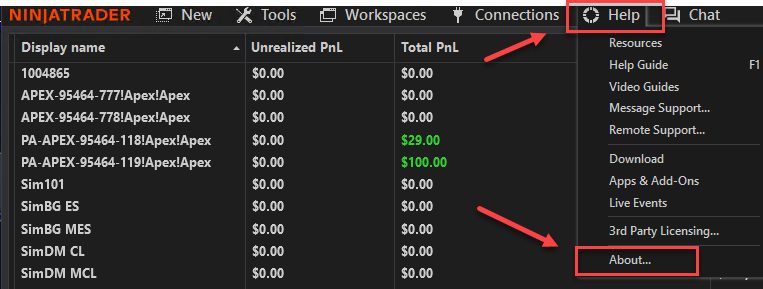
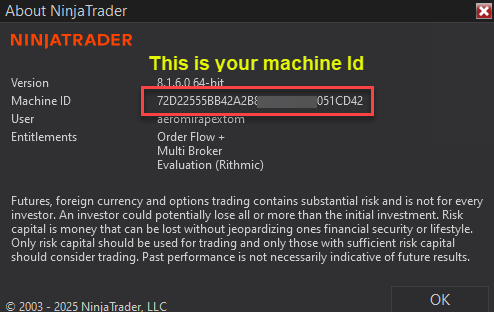
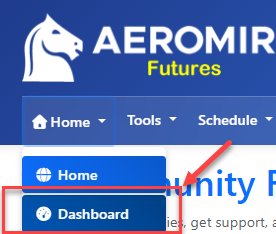
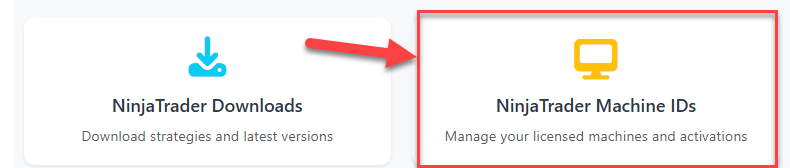
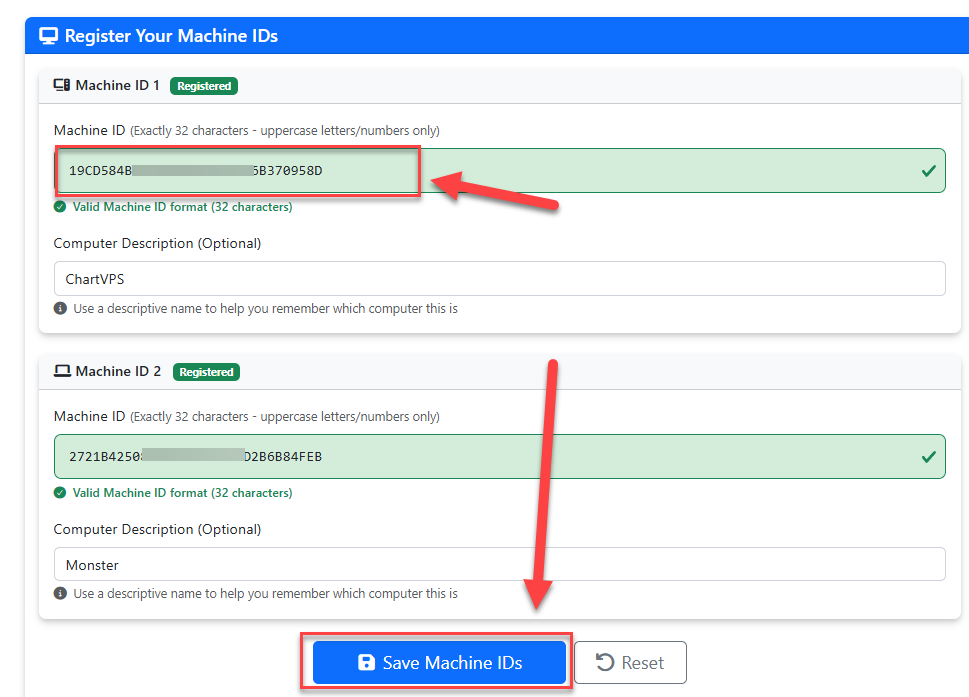
Copy this machine id and paste it on the member's site on the machine Ids page:
Now open NinjaTrader and go to Tools -> Import -> NinjaScript Add-On...
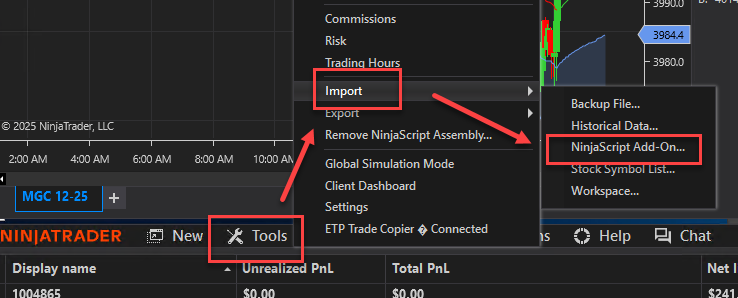
Find the zip file you downloaded for the strategy and import the zip file. DO NOT EXTRACT THE ZIP FILE. Import just the .zip file.
You may need to restart NinjaTrader
Now you're ready to create a new chart: New -> Chart
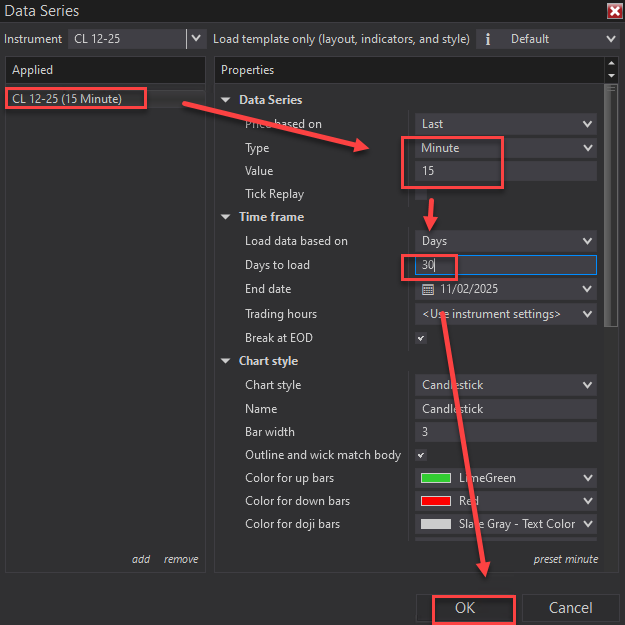
Set the CL (crude oil futures) contract and use 15-minute bars. I also set 20-30 days of data:
Open the strategies dialog box either by clicking on the Strategies Button or right click on the chart and choose Strategies....or press CTRL+S
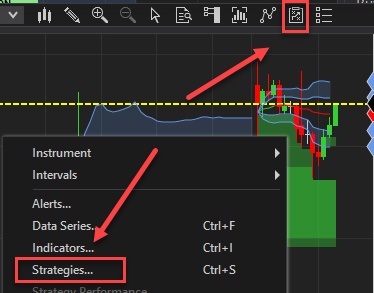
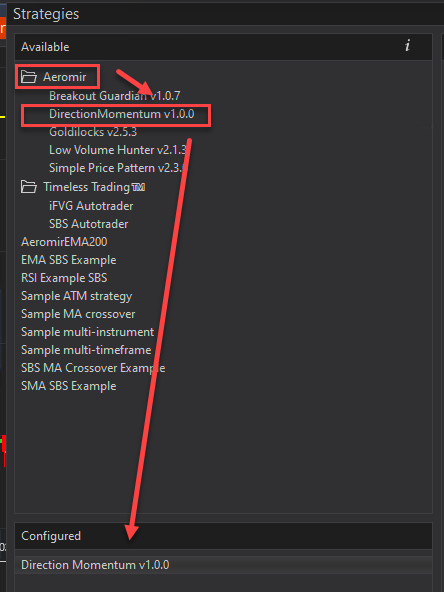
Expand the "Aeromir" in the "Available" area. Double click on the Direction Momentum or single click and click "Add" at the bottom on the left column:
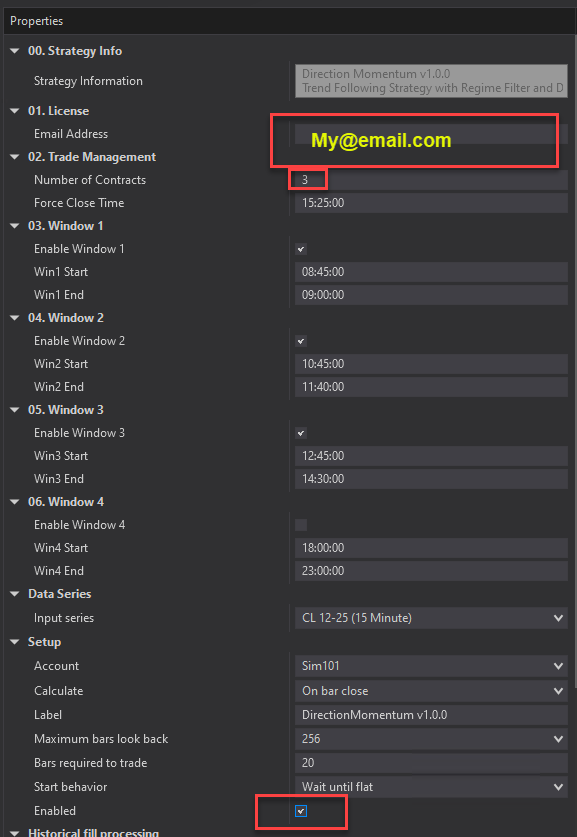
Enter your email address , the number of contracts you want to trade and adjust any times from Eastern (the default) to your local time. Lastly, click the "Enabled" checkbox and then OK
The strategy should be running now. You should see the Longs ON and Shorts ON buttons with any historical trades the strategy took in the past: